Hello guys, CSS is the backbone of web design, yet many developers struggle to master it beyond the basics. If you’ve ever felt frustrated trying to center a div (we’ve all been there!), or wondered why your responsive layout breaks on mobile devices, you’re not alone.
The good news? Frontend Masters has some of the best CSS courses available online, taught by industry experts who actually work at companies like Spotify, Insulet, and top tech firms.
I’ve spent the last few months going through their CSS curriculum, and I’m excited to share the top 5 courses that will take you from CSS fundamentals to advanced layout techniques.
Whether you’re a complete beginner or looking to master modern CSS Grid and Flexbox, these courses have you covered.
Why Learn CSS in 2026?
Before we dive into the courses, let’s address the elephant in the room: “Isn’t CSS easy? Why do I need a course?”
Here’s the reality:
- Modern CSS is powerful: CSS Grid, Container Queries, and CSS Custom Properties have transformed what’s possible
- Framework fatigue is real: Understanding core CSS makes you framework-independent
- Performance matters: Writing efficient CSS improves page load times
- Responsive design is non-negotiable: Mobile-first design requires solid CSS skills
- Career value: Strong CSS skills set you apart in a world of JavaScript-focused developers
Now, let’s explore the courses that will make you a CSS master.
5 Best CSS Courses on Frontend Masters for Web Developers in 2026
Without any further ado, here are the top CSS, Grid, and Tailwind CSS courses you can join on Frontend Masters to learn this important technology and skill better in 2026.
1. Getting Started with CSS, v2 by Jen Kramer
Duration: 3 hours, 2 minutes
If you’re new to CSS or need to solidify your fundamentals, this is THE place to start.
What You’ll Learn:
- Semantic HTML markup — The foundation of good CSS
- CSS selectors and specificity — Understanding which rules apply
- Layout fundamentals — Positioning, display properties, and box model
- Navigation styles — Creating professional navigation menus
- Media queries — Building responsive designs
- CSS custom properties — Modern CSS variables
- Light and dark themes — Implementing theme switchers
- GitHub Pages deployment — Shipping your work to production
Why I Love This Course:
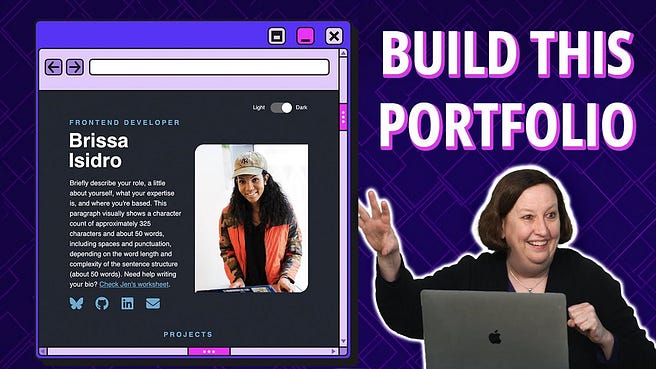
Jen Kramer is an incredible teacher. She doesn’t just show you how to write CSS — she explains why it works the way it does. The course is project-based, so you’ll build an actual portfolio website from scratch.
What impressed me most was how Jen introduces modern CSS features (like custom properties for theming) right from the beginning. You’re not learning outdated techniques; you’re learning CSS the way it’s written in 2026.
Perfect For:
- Complete beginners with little to no CSS experience
- Developers coming from backend who need frontend skills
- Anyone who wants to refresh their CSS fundamentals
- People building their first portfolio website
Key Takeaway:
By the end of this 3-hour course, you’ll have a fully functional, responsive portfolio deployed to GitHub Pages. That’s not just learning — that’s building something real you can show employers.
Here is the link to join this course — Getting Started with CSS, v2 by Jen Kramer
2. CSS Foundations by Emma Bostian
Duration: 3 hours, 56 minutes
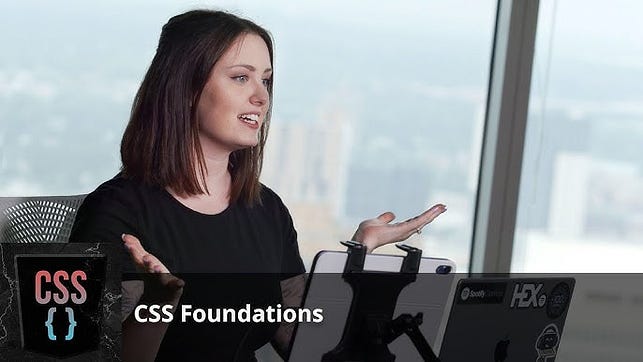
Once you understand the basics, Emma Bostian’s course takes you deeper into essential CSS concepts. I have known Emma on Twitter for long time before she joined Spotify and I can tell that she has great knack of explaining technical topics, particularly web developments skills and algorithms.
What You’ll Learn:
- Core CSS terminology — Speaking the language fluently
- The box model — Understanding padding, margin, and borders
- CSS specificity — Mastering selector weight
- Flexbox fundamentals — One-dimensional layouts
- CSS Grid basics — Two-dimensional layouts
- Styling buttons — Creating professional UI elements
- Landing page design — Putting it all together
- Mobile navigation menus — Responsive navigation patterns
- Practical challenges — Hands-on coding exercises
Why This Course Stands Out:
Emma works at Spotify, and it shows. The course focuses on practical, production-ready CSS that you’d actually write at a tech company.
The hands-on challenges are particularly valuable — you’re not passively watching videos; you’re actively coding.
What I appreciated most was Emma’s focus on common CSS mistakes and how to avoid them. She shares real-world debugging techniques that have saved me hours of frustration.
Perfect For:
- Developers with basic CSS knowledge wanting to level up
- People who’ve used CSS but don’t fully understand how it works
- Anyone preparing for frontend interviews
- Developers who want to write cleaner, more maintainable CSS
Key Takeaway:
Emma equips you with the mental models needed to approach any CSS layout challenge. After this course, you’ll stop Googling “how to center a div” and start understanding why centering works the way it does.
Here is the link to join this course — CSS Foundations by Emma Bostian
3. Ultimate CSS Grid & Layout Techniques, v3 by Jen Kramer
Duration: 6 hours, 21 minutes
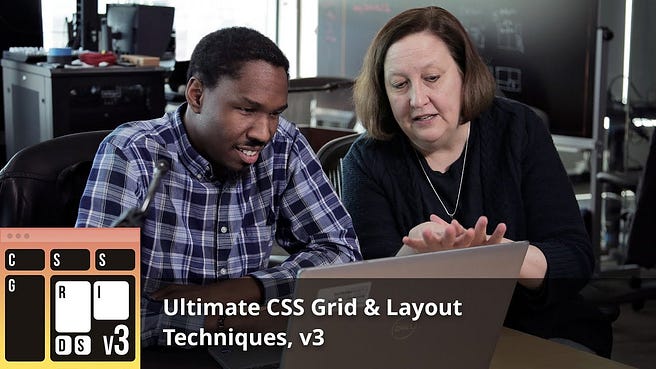
This is the deep dive into CSS Grid you’ve been waiting for. If you want to master modern layouts, this course is essential.
What You’ll Learn:
- CSS Grid fundamentals — Understanding the grid system
- Two-dimensional layouts — Controlling rows AND columns
- Precise positioning — Grid template areas and line-based placement
- Overlapping elements — Creating complex, layered designs
- Container queries — Adaptive components that respond to their container
- Subgrids — Nested grid layouts
- Advanced techniques — Grid auto-flow, dense packing, and more
- Real-world projects — CodePen exercises with practical applications
- Responsive grid patterns — Mobile-first grid designs
Why This Course Is a Game-Changer:
CSS Grid is the most powerful layout tool in modern CSS, and Jen Kramer is one of the best teachers on the subject. This isn’t a superficial overview — it’s a comprehensive masterclass.
What sets this course apart is the focus on container queries, one of the hottest CSS features in 2026. You’ll learn how to create truly adaptive components that work anywhere, not just layouts that respond to viewport width.
The CodePen exercises are fantastic. Each one presents a real-world layout challenge, and you’ll learn multiple approaches to solve it.
Perfect For:
- Intermediate CSS developers ready for advanced layouts
- Designers who want to implement their designs in code
- Developers building component libraries
- Anyone who still relies heavily on frameworks for layouts
- People who find CSS Grid intimidating
Key Takeaway:
After this course, you’ll be able to create complex layouts with minimal code. Tasks that used to require 100 lines of CSS and multiple media queries now take 10 lines with Grid. It’s not just easier — it’s better.
Here is the link to join this course — Ultimate CSS Grid & Layout Techniques, v3 by Jen Kramer
4. Tailwind CSS 4+ by Steve Kinney
Duration: 4 hours, 27 minutes
Now, I know what you’re thinking: “Isn’t Tailwind just inline styles?” Not quite. This course will change your mind about utility-first CSS.
What You’ll Learn:
- Utility-first approach — Building designs without custom CSS
- Tailwind fundamentals — Classes, configuration, and best practices
- Responsive layouts — Mobile-first design with Tailwind
- Flexbox with Tailwind — Utility classes for flex layouts
- Grid with Tailwind — Grid layouts using utilities
- Container queries — Component-based responsive design
- Accessible components — Building inclusive interfaces
- Interactive elements — Hover states, focus styles, and more
- Dark mode — Implementing theme switching
- Animations & transitions — Adding UI polish
Why This Course Surprised Me?
I was skeptical about Tailwind at first. But Steve Kinney (who works at Temporal) shows how utility-first CSS can actually make you faster and more consistent.
The course covers Tailwind 4+, which includes significant improvements over previous versions. You’ll learn the latest features and best practices, not outdated patterns.
What impressed me most was how Steve addresses common criticisms of Tailwind. He shows when to use utilities, when to create custom components, and how to keep your markup readable.
Perfect For:
- Developers who want to move faster without sacrificing quality
- Teams that struggle with CSS consistency
- People building design systems
- Developers tired of naming CSS classes
- Anyone curious about utility-first CSS
Key Takeaway:
Tailwind isn’t about replacing CSS knowledge — it’s about applying that knowledge more efficiently. After this course, you’ll understand why so many companies have adopted Tailwind for rapid UI development.
Bonus: The dark mode and animation sections alone are worth the price of admission. You’ll learn techniques you can apply even if you decide not to use Tailwind.
Here is the link to join this course — Tailwind CSS 4+ by Steve Kinney
5. Practical CSS Layouts by Jen Kramer
Duration: 8 hours, 58 minutes
This is the most comprehensive CSS course on the list. If you have time for just one course, make it this one.
What You’ll Learn:
- CSS and HTML basics — Starting from the ground up
- Responsive design principles — Mobile, tablet, and desktop layouts
- CSS Grid mastery — Complex grid layouts
- Flexbox techniques — Flexible component layouts
- Real-world exercises — Buttons, audio players, hamburger menus, lists
- Typography — Rem and em units, custom fonts
- Responsive images — srcset, sizes, and the picture element
- Component patterns — Reusable layout patterns
- Three complete websites — Progressive complexity projects
- Production techniques — Writing maintainable CSS at scale
Why This Is the Ultimate CSS Course:
At almost 9 hours, this course is a marathon, not a sprint. But it’s worth every minute. Jen takes you from beginner to advanced, building three increasingly complex websites along the way.
What makes this course special is the progression. You don’t just learn techniques — you learn when to use them. The three-website structure means you see the same concepts applied in different contexts, which really solidifies understanding.
The real-world exercises are fantastic. Styling an audio player or creating a hamburger menu might seem simple, but there are dozens of ways to approach each problem. Jen shows you the best practices used by professional developers.
Perfect For:
- Developers who want comprehensive CSS mastery
- People willing to invest significant time for maximum results
- Frontend developers preparing for senior roles
- Anyone building production websites
- Developers who prefer structured, progressive learning
Key Takeaway:
This course is your CSS bootcamp. By the end, you’ll have built three complete websites, each demonstrating different layout techniques and complexity levels. You’ll have a portfolio of work and the skills to tackle any CSS challenge.
Here is the link to join this course — Practical CSS Layouts by Jen Kramer
Bonus: Front-End System Design by Evgenii Ray
Duration: 4 hours, 37 minutes
While not strictly a CSS course, this course is essential for understanding how CSS fits into the bigger picture of frontend development.
What You’ll Learn:
- Core UI fundamentals — Including CSS box model
- Browser rendering — How browsers interpret CSS
- DOM manipulation — JavaScript and CSS interaction
- State management — Managing UI state
- Performance optimization — CSS performance patterns
- Infinite scrolling — Building with IntersectionObserver
- System design interviews — Practicing design scenarios
- Social media feed design — Real-world application
Why Include This Course:
Understanding why CSS works the way it does makes you a better CSS developer. Evgenii (a Staff UI Engineer) shows how CSS interacts with the browser rendering pipeline, which helps you write more performant stylesheets.
The system design interview practice is particularly valuable if you’re aiming for senior frontend roles. You’ll learn to think architecturally about CSS, not just tactically.
Perfect For:
- Senior developers or those aiming for senior roles
- Anyone interviewing for frontend positions
- Developers who want to understand CSS at a deeper level
- People building performance-critical applications
Key Takeaway:
CSS isn’t just about making things look pretty — it’s about creating efficient, scalable user interfaces. This course gives you the mental models to approach CSS as an engineering discipline, not just a styling tool.
Here is the link to join this course — Front-End System Design by Evgenii Ray
How to Choose Your Learning Path?
With six excellent courses, how do you decide where to start? Here’s my recommendation based on your current level:
Complete Beginner Path:
- Start: Getting Started with CSS, v2 (3 hours)
- Then: CSS Foundations (4 hours)
- Finally: Practical CSS Layouts (9 hours)
Total time: ~16 hours Result: Comprehensive CSS mastery from zero to production-ready
Intermediate Developer Path:
- Start: CSS Foundations (4 hours)
- Then: Ultimate CSS Grid & Layout Techniques (6 hours)
- Optional: Tailwind CSS 4+ (4 hours)
Total time: ~14 hours Result: Advanced layout skills and modern CSS patterns
Senior Developer / Interview Prep Path:
- Start: Ultimate CSS Grid & Layout Techniques (6 hours)
- Then: Practical CSS Layouts (9 hours)
- Finally: Front-End System Design (5 hours)
Total time: ~20 hours Result: Senior-level CSS skills and system design knowledge
Fast Track / Utility-First Path:
- Start: CSS Foundations (4 hours)
- Then: Tailwind CSS 4+ (4 hours)
Total time: ~8 hours Result: Rapid UI development with modern tools
Getting the Most Out of Frontend Masters
Here are my tips for maximizing your learning on Frontend Masters:
1. Get the Annual Subscription
At $390/year (or $39/month), a Frontend Masters membership gives you access to 200+ courses. If you’re serious about frontend development, this is one of the best investments you can make.
The annual plan works out to about $32/month — less than one lunch per week. For the quality and depth of content, it’s an absolute bargain.
2. Use the Learning Paths
Frontend Masters has curated learning paths that guide you through related courses in a logical order. The “Professional” path is particularly good for comprehensive CSS mastery.
3. Do the Exercises
Every course has hands-on exercises and challenges. Don’t skip these! The learning happens when you write code, not just when you watch videos.
4. Build Projects
After completing a course, build something from scratch using what you learned. A portfolio site, a component library, or a redesign of an existing site — any project that forces you to apply the concepts.
5. Check the Free Courses
Frontend Masters offers some courses for free. If you’re unsure about subscribing, start with a free course to experience the teaching quality.
6. Explore Other Topics
While you’re subscribed, explore beyond CSS. Frontend Masters has excellent courses on JavaScript, React, Vue, Angular, Node.js, and more. The courses sorted by popularity is a great way to discover highly-rated content.
Why Frontend Masters Over Other Platforms?
I’ve tried Udemy, Coursera, Educative, and other platforms. Here’s why Frontend Masters is my go-to for CSS:
1. Instructor Quality
Frontend Masters instructors work at companies like Spotify, Netflix, Microsoft, and top startups. These aren’t just teachers — they’re practitioners who write production code daily.
2. Depth Over Breadth
Courses go deep. A 6-hour CSS Grid course covers topics that would take 3 sentences in a typical Udemy course. You learn why, not just how.
3. Modern Content
Courses are regularly updated. You’re learning Tailwind 4+, modern CSS Grid with container queries, and current best practices — not outdated techniques from 2015.
4. No Fluff
Every minute counts. No intro music, no unnecessary repetition, no “please like and subscribe.” Just dense, valuable content taught by experts.
5. Professional Production
High-quality video and audio, clear code examples, well-organized course materials. The platform itself is a pleasure to use.
6. Community
The Frontend Masters community is active and helpful. Course Q&As, Discord channels, and forums provide support when you’re stuck.
Meet the Instructors
I have chosen courses from instructors where I could connect and I generally learn better by following multiple instructors, here are my favorite instructors on Frontend Masters when it comes to learning CSS:
Jen Kramer
With courses totaling 18+ hours on this list, Jen is your CSS mentor. She currently works at Insulet and has decades of teaching experience. Her explanations are crystal clear, and her projects are practical and production-ready.
Emma Bostian
Emma works at Spotify and brings real-world experience from one of the world’s most popular web applications. She’s known for making complex concepts accessible and her hands-on teaching style.
Steve Kinney
Steve works at Temporal and is a fantastic teacher of modern CSS techniques. His Tailwind course shows that utility-first CSS isn’t just a fad — it’s a legitimate approach to building scalable UIs.
Evgenii Ray
As a Staff UI Engineer, Evgenii brings senior-level perspective to frontend system design. His course bridges the gap between CSS techniques and architectural thinking.
Common CSS Challenges These Courses Solve
Still wondering if these courses are right for you? Here are common CSS frustrations they address:
“I can’t center things”
Solved in: CSS Foundations, Practical CSS Layouts You’ll learn multiple centering techniques and understand when to use each one.
“My layouts break on mobile”
Solved in: Getting Started with CSS v2, Practical CSS Layouts Comprehensive coverage of responsive design, media queries, and mobile-first approaches.
“CSS Grid seems complicated”
Solved in: Ultimate CSS Grid & Layout Techniques After 6+ hours with Jen Kramer, Grid will become your favorite layout tool.
“I waste time writing repetitive CSS”
Solved in: Tailwind CSS 4+ Learn utility-first CSS to build interfaces faster with consistent patterns.
“I don’t understand browser rendering”
Solved in: Front-End System Design Deep dive into how browsers interpret and render CSS for better performance.
“My CSS becomes unmaintainable”
Solved in: Practical CSS Layouts, CSS Foundations Learn organizational patterns and best practices for scalable CSS.
Is It Worth the Investment?
Let’s do the math:
Frontend Masters Annual Subscription: $390 Total course hours (all 6): ~32 hours Cost per hour: ~$12
For context:
- A coding bootcamp: $10,000–20,000
- Private tutoring: $50–150/hour
- College course: $1,000–5,000 per class
- Frontend Masters: $390 for 200+ courses
Even if you only take these CSS courses, you’re getting expert instruction at a fraction of traditional education costs. And you get lifetime access to rewatch anytime.
Plus, the annual subscription includes courses on React, Vue, Angular, Node.js, TypeScript, testing, performance, and more. The value compounds significantly.
Getting Started Today
Ready to master CSS? Here’s your action plan:
Step 1: Choose Your Path Pick one of the learning paths I outlined earlier based on your current skill level.
Step 2: Subscribe to Frontend Masters Get your Frontend Masters membership and get immediate access to all courses.
Step 3: Block Time Schedule dedicated learning time. Even 30 minutes daily adds up to significant progress.
Step 4: Start with Getting Started If you’re unsure where to begin, Getting Started with CSS, v2 is the perfect entry point.
Step 5: Build Projects Apply what you learn immediately. Build a portfolio, redesign an existing site, or contribute to open source.
Frequently Asked Questions
Q: Do I need to know JavaScript to take these courses?
A: No! These are pure CSS courses. Some courses touch on JavaScript (like the system design course), but CSS knowledge is the primary focus.
Q: Are these courses updated for 2026?
A: Yes! Frontend Masters regularly updates courses. The version numbers (like v2, v3) indicate updated content with the latest CSS features.
Q: Can I watch on mobile?
A: Absolutely. Frontend Masters has mobile apps for iOS and Android, perfect for learning on the go.
Q: What if I get stuck?
A: Each course has a Q&A section where you can ask questions. The instructors and community are very responsive.
Q: Is there a certificate?
A: Yes, you get a certificate of completion for each course. While not accredited, they demonstrate your commitment to learning.
Q: Can I cancel anytime?
A: Yes, if you choose monthly billing. Annual subscriptions are paid upfront but offer better value.
Final Thoughts
CSS is one of the most underestimated skills in web development. While everyone focuses on JavaScript frameworks, the reality is that great UIs start with solid CSS foundations.
These Frontend Masters courses represent the best CSS education available online. The instructors are world-class, the content is comprehensive, and the projects are practical.
Whether you’re starting from scratch or leveling up to senior developer, these courses will transform how you think about and write CSS.
The question isn’t “Should I learn CSS?” but rather “When will I start?”
Start your CSS mastery journey today:
Your future self will thank you. Happy coding! 🎨
What’s your biggest CSS challenge? Let me know in the comments, and I’ll point you to the course that addresses it!
No comments:
Post a Comment