Hello Java developers, you may know that
SimpleDateFormat in Java can be used to convert String to Date in Java.
java.text.SimpleDateFormat
is an implementation of
DateFormat which defines a date pattern and can convert a particular String that
follows that pattern into Date in Java. This is the second part of the
article on
java.util.Date
and String in Java. In the first part, we have seen
How to convert Date to String in Java. SimpleDateFormat accepts a String in any date format e.g.
yyyyMMdd
is a date pattern and 20220924 is a String in that format. Now you want to create a
java.util.Date
object from this String.
In this Java tutorial, we will see a list of steps to convert String to Date in Java, and then we will see different examples of SimpleDateFormat with different date patterns e.g. ddMMyy or dd-MM-yyyy.
Though converting String to Date is quite easy using SimpleDateFormat, but you need to remember that SimpleDateFormat is not thread-safe, which means you can not share the same instance of SimpleDateFormat between multiple threads.
Avoid storing SimpleDateFormat in a static variable and if you want to safely share or reuse SimpleDateFormat, you need to make it thread-safe. One way is to use the ThreadLocal variable in Java to make SimpleDateFormat thread-safe, as shown in this example.
By the way, if you are using Java 8 and beyond like Java 11 or Java 17 then I highly recommend you to use LocalDate and LocalTime in Java. Both LocalDate and LocalTime are easier to format and parse using DatFormatter class which provides many common built-in formatter like ISO date format and YYYYMMDD format as well local dat formats.
In this Java tutorial, we will see a list of steps to convert String to Date in Java, and then we will see different examples of SimpleDateFormat with different date patterns e.g. ddMMyy or dd-MM-yyyy.
Though converting String to Date is quite easy using SimpleDateFormat, but you need to remember that SimpleDateFormat is not thread-safe, which means you can not share the same instance of SimpleDateFormat between multiple threads.
Avoid storing SimpleDateFormat in a static variable and if you want to safely share or reuse SimpleDateFormat, you need to make it thread-safe. One way is to use the ThreadLocal variable in Java to make SimpleDateFormat thread-safe, as shown in this example.
By the way, if you are using Java 8 and beyond like Java 11 or Java 17 then I highly recommend you to use LocalDate and LocalTime in Java. Both LocalDate and LocalTime are easier to format and parse using DatFormatter class which provides many common built-in formatter like ISO date format and YYYYMMDD format as well local dat formats.
All these makes
converting String to LocalDate
really easy. They are also Immutable and thread-safe which means you can
use them in your multithreading application without worrying about
synchronization and Locking.
Steps to Convert String to Date in Java with Example
Converting String to date
is rather a common scenario because you may get a date in a String format
from any file or xml document. SimpleDateFormat in Java also supports time information e.g. HH for an hour, mm for
minutes, and SS for seconds.
Here are steps we need to use for conversion in Java:
1. Create a
SimpleDateFormat object with a date pattern e.g.
dd-MM-yyyy. here d denotes the day of the month, M is for the month of year and
yyyy is the year in four-digit like 2022. Java documentation of
SimpleDateFormat has a complete list of date and time patterns
specified.
2. Call parse() method of SimpleDateFormat and cast the result
into
Date object and you are done. parse() method of
SimpleDateFormat throws ParseException so you need to either throw it or you can provide
handling of this exception.
Let’s see some SimpleDateFormat Examples of converting a string to date in Java to get hold of the concept.
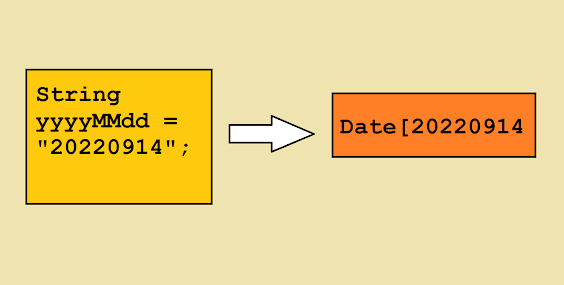
String to Date using SimpleDateFormat Example in Java
import java.text.DateFormat;
import java.text.ParseException;
import java.text.SimpleDateFormat;
import java.util.Date;
/**
* Java program to convert String to Date in Java. This example
* use SimpleDateFormat for String to Date conversion, you can also
* use JODA date and time API for that.
*
* @author Javin
*/
public class StringToDateExample{
public static void main(String args[]) throws ParseException{
DateFormat formatter = null;
Date convertedDate = null;
// Creating SimpleDateFormat with yyyyMMdd format e.g."20220914"
String yyyyMMdd = "20220914";
formatter =new SimpleDateFormat("yyyyMMdd");
convertedDate =(Date) formatter.parse(yyyyMMdd);
System.out.println("Date from yyyyMMdd String in Java : " + convertedDate);
//convert string to date with ddMMyyyy format example "14092022"
String ddMMyyyy = "14092022";
formatter =new SimpleDateFormat("ddMMyyyy");
convertedDate =(Date) formatter.parse(ddMMyyyy);
System.out.println("Date from ddMMyyyy String in Java : " + convertedDate);
//String to Date conversion in Java with dd-MM-yyyy format e.g. "14-09-2022"
String dd_MM_YY = "14-09-2022";
formatter =new SimpleDateFormat("dd-MM-yyyy");
convertedDate =(Date) formatter.parse(dd_MM_YY);
System.out.println("Date from dd-MM-yyyy String in Java : " + convertedDate);
// dd/MM/yyyy date format for example "14/09/2022"
String stringDateFormat = "14/09/2022";
formatter =new SimpleDateFormat("dd/MM/yyyy");
convertedDate =(Date) formatter.parse(stringDateFormat);
System.out.println("Date from dd/MM/yyyy String in Java : " + convertedDate);
//parsing string into date with dd-MMM-yy format e.g. "14-Sep-11"
//MMMM denotes three letter month String e.g. Sep
String ddMMMyy = "14-Sep-11";
formatter =new SimpleDateFormat("dd-MMM-yy");
convertedDate =(Date) formatter.parse(ddMMMyy);
System.out.println("Date from dd-MMM-yy String in Java : " + convertedDate);
//convert string to Date of dd-MMMM-yy format e.g. "14-September-11"
//MMMM denotes full month String e.g. September
String dMMMMyy = "14-September-11";
formatter =new SimpleDateFormat("dd-MMMM-yy");
convertedDate =(Date) formatter.parse(dMMMMyy);
System.out.println("Date from dd-MMMM-yy String in Java : " + convertedDate);
//SimpleDateFormat also allows to include time information e.g. dd-MM-yyyy:HH:mm:SS
String date = "15-09-2022:23:30:45";
formatter =new SimpleDateFormat("dd-MM-yyyy:HH:mm:SS");
convertedDate =(Date) formatter.parse(date);
System.out.println("Date from dd-MM-yyyy:HH:mm:SS String in Java : "
import java.text.ParseException;
import java.text.SimpleDateFormat;
import java.util.Date;
/**
* Java program to convert String to Date in Java. This example
* use SimpleDateFormat for String to Date conversion, you can also
* use JODA date and time API for that.
*
* @author Javin
*/
public class StringToDateExample{
public static void main(String args[]) throws ParseException{
DateFormat formatter = null;
Date convertedDate = null;
// Creating SimpleDateFormat with yyyyMMdd format e.g."20220914"
String yyyyMMdd = "20220914";
formatter =new SimpleDateFormat("yyyyMMdd");
convertedDate =(Date) formatter.parse(yyyyMMdd);
System.out.println("Date from yyyyMMdd String in Java : " + convertedDate);
//convert string to date with ddMMyyyy format example "14092022"
String ddMMyyyy = "14092022";
formatter =new SimpleDateFormat("ddMMyyyy");
convertedDate =(Date) formatter.parse(ddMMyyyy);
System.out.println("Date from ddMMyyyy String in Java : " + convertedDate);
//String to Date conversion in Java with dd-MM-yyyy format e.g. "14-09-2022"
String dd_MM_YY = "14-09-2022";
formatter =new SimpleDateFormat("dd-MM-yyyy");
convertedDate =(Date) formatter.parse(dd_MM_YY);
System.out.println("Date from dd-MM-yyyy String in Java : " + convertedDate);
// dd/MM/yyyy date format for example "14/09/2022"
String stringDateFormat = "14/09/2022";
formatter =new SimpleDateFormat("dd/MM/yyyy");
convertedDate =(Date) formatter.parse(stringDateFormat);
System.out.println("Date from dd/MM/yyyy String in Java : " + convertedDate);
//parsing string into date with dd-MMM-yy format e.g. "14-Sep-11"
//MMMM denotes three letter month String e.g. Sep
String ddMMMyy = "14-Sep-11";
formatter =new SimpleDateFormat("dd-MMM-yy");
convertedDate =(Date) formatter.parse(ddMMMyy);
System.out.println("Date from dd-MMM-yy String in Java : " + convertedDate);
//convert string to Date of dd-MMMM-yy format e.g. "14-September-11"
//MMMM denotes full month String e.g. September
String dMMMMyy = "14-September-11";
formatter =new SimpleDateFormat("dd-MMMM-yy");
convertedDate =(Date) formatter.parse(dMMMMyy);
System.out.println("Date from dd-MMMM-yy String in Java : " + convertedDate);
//SimpleDateFormat also allows to include time information e.g. dd-MM-yyyy:HH:mm:SS
String date = "15-09-2022:23:30:45";
formatter =new SimpleDateFormat("dd-MM-yyyy:HH:mm:SS");
convertedDate =(Date) formatter.parse(date);
System.out.println("Date from dd-MM-yyyy:HH:mm:SS String in Java : "
+ convertedDate);
}
}
Output:
Date from yyyyMMdd String in Java : Wed Sep 14 00:00:00 PST 2022
Date from ddMMyyyy String in Java : Wed Sep 14 00:00:00 PST 2022
Date from dd-MM-yyyy String in Java : Wed Sep 14 00:00:00 PST 2022
Date from dd/MM/yyyy String in Java : Wed Sep 14 00:00:00 PST 2022
Date from dd-MMM-yy String in Java : Wed Sep 14 00:00:00 PST 2022
Date from dd-MMMM-yy String in Java : Wed Sep 14 00:00:00 PST 2022
Date from dd-MM-yyyy:HH:mm:SS String in Java : Thu Sep 15 23:30:00 PST 2022
}
}
Output:
Date from yyyyMMdd String in Java : Wed Sep 14 00:00:00 PST 2022
Date from ddMMyyyy String in Java : Wed Sep 14 00:00:00 PST 2022
Date from dd-MM-yyyy String in Java : Wed Sep 14 00:00:00 PST 2022
Date from dd/MM/yyyy String in Java : Wed Sep 14 00:00:00 PST 2022
Date from dd-MMM-yy String in Java : Wed Sep 14 00:00:00 PST 2022
Date from dd-MMMM-yy String in Java : Wed Sep 14 00:00:00 PST 2022
Date from dd-MM-yyyy:HH:mm:SS String in Java : Thu Sep 15 23:30:00 PST 2022
 You can check the java doc of
DateFormat for all the symbols it supports and what is meaning for that but here I
am listing some common points which are worth remembering while working
with SimpleDateFormat for conversion.
You can check the java doc of
DateFormat for all the symbols it supports and what is meaning for that but here I
am listing some common points which are worth remembering while working
with SimpleDateFormat for conversion.
1. Confusion between “m” and “M”, small case “m” represent minutes while
“M” represents Month Also “d” represent a date in a month while “D”
represent Day of the week. This is the most common cause of error while
converting String to date and backdate to a string. In short, ddMMyy
is not equal to DDmmyy.
2. SimpleDateFormat is not
thread-safe. They are not
synchronized so it's better you create separate SimpleDateFormat for each
thread to avoid any race condition while parsing.
That's all about how to convert String to Date in Java. Java is
very rich in terms of date-time support and it also provides a convenient
way to convert string to date which is very handy while working in Java
applications.
Though, I highly recommend you to switch to new Date and Time API from
Java 8 which provides both Immutable and thread-safe LocalDate and
LocalTime objects. They also provide utilities like DateTimeFormatter
which can easily
convert String to LocalDate
and
LocalDate to String in Java.
Related Java tutorials


 Posts
Posts


9 comments :
Nice. Recently I stumbled upon this library: http://www.pojava.org/ Using this library you can easily handle different input date formats.
Or you can also use Joda time.
These other libraries are thread safe (unlike SimpleDateFormat).
Also in future Java, there will be a complete revamp of SimpleDateFormat (unfortunately I don't know if it will be Java 8 or some other more distant Java).
Thanks Jirka for this update, yes SimpleDateFormat needs a revamp at least on thread-safety issue, it doesn't make sense to have separate formatter for separate thread in my opinion.
Great Java SimpleDateFormat tutorial. I have read some of your java article and want to thank you for good work. I most like the last part of your article where you have pointed out subtle details on String to Date conversion
Great Article, I was getting lost with dates until I read it.
I ran your example and found a few problems.
Could you make a few corrections to your sample code. In each sample you have a new string but parse yyyyMMdd from the first example.
Also you have the correct format in the comment before each example but then use a different format for the SimpleDateFormat.
Here is my attempt:
DateFormat formatter;
Date convertedDate;
// yyyyMMdd format e.g."20110914"
String yyyyMMdd = "20110114";
formatter = new SimpleDateFormat("yyyyMMdd");
convertedDate = (Date) formatter.parse(yyyyMMdd);
System.out.println(convertedDate+" Test A");
//convert string to date with ddMMyyyy format example "14092011"
String ddMMyyyy = "14022011";
formatter = new SimpleDateFormat("ddMMyyyy");
convertedDate = (Date) formatter.parse(ddMMyyyy);
System.out.println(convertedDate+" Test B");
//string into date in java with dd-MM-yyyy format e.g. "14-09-2011"
String dd_MM_YY = "14-03-2011";
formatter = new SimpleDateFormat("dd-MM-yyyy");
convertedDate = (Date) formatter.parse(dd_MM_YY);
System.out.println(convertedDate+" Test C");
// dd/MM/yyyy format for example "14/09/2011"
String stringDateFormat = "14/04/2011";
formatter = new SimpleDateFormat("dd/MM/yyyy");
convertedDate = (Date) formatter.parse(stringDateFormat);
System.out.println(convertedDate+" Test D");
//parsing string into date with dd-MMM-yy format e.g. "14-Sep-11"
String dMMMyy = "14-May-11";
formatter = new SimpleDateFormat("dd-MMM-yy");
convertedDate = (Date) formatter.parse(dMMMyy);
System.out.println(convertedDate+" Test E");
//convert string to date of dd-MMMM-yy format e.g. "14-September-11"
String dMMMMyy = "14-June-11";
formatter = new SimpleDateFormat("dd-MMMM-yy");
convertedDate = (Date) formatter.parse(dMMMMyy);
System.out.println(convertedDate+" Test F");
Just a word of caution for all those using SimpleDateFormat, SimpleDateFormat is not thread-safe and either use it as ThreadLocal see this link or use local copy. Never use static instance of SimpleDateFormat
String inputStr = "05/01/2012 10:51:47 AM PDT";
String inputFmt = "MM/dd/yyyy hh:mm:ss a z";
SimpleDateFormat dfLong = new SimpleDateFormat(inputFmt);;
Date localModifiedDate = dfLong.parse(inputStr);
System.out.println(localModifiedDate);
Giving me Unparsable date exception
Date Conversion from String to sql Date in Java:
String startDate="01-02-2013";
SimpleDateFormat sdf1 = new SimpleDateFormat("dd-MM-yyyy");
java.util.Date date = sdf1.parse(startDate)
java.sql.Date sqlStartDate = new Date(date.getTime());
String arrivedDateUI = "September 22nd 2015, 10:39:42";
SimpleDateFormat formatter = new SimpleDateFormat("MMMM DDD yyyy, hh:mm:ss");
Date date = formatter.parse(arrivedDateUI);
Resulting Error:
java.text.ParseException: Unparseable date: "September 22nd 2015, 10:39:42"
Post a Comment